

xTrack WMS
WMS – Warehouse Management System
It has happened to our customers:
- Doubling the delivery capacity with the same human and material resources
- Increasing from 3000 to 7000 lines processed per day with 20% fewer employees
- Delivery with 2 people instead of 6
Choose the type of business you need WMS for

WMS for 3PL / Fullfilment
WMS (Warehouse Management Software) enables 3PL companies to make the right decisions when storing products, picking and shipping orders to their customers.

WMS for Distribution
The success of distribution companies depends on the accuracy of the information managers have at their disposal, cost control, optimization of workflows and customer satisfaction.

WMS for Production
Integrated control of the supply chain processes on production lines and of stored finished products is provided either independently through WMS or by linking WMS to MES.

WMS for e-Commerce
WMS for e-Commerce is the solution that guarantees the scalability of your online business and ensures that orders are delivered in a much shorter period of time.
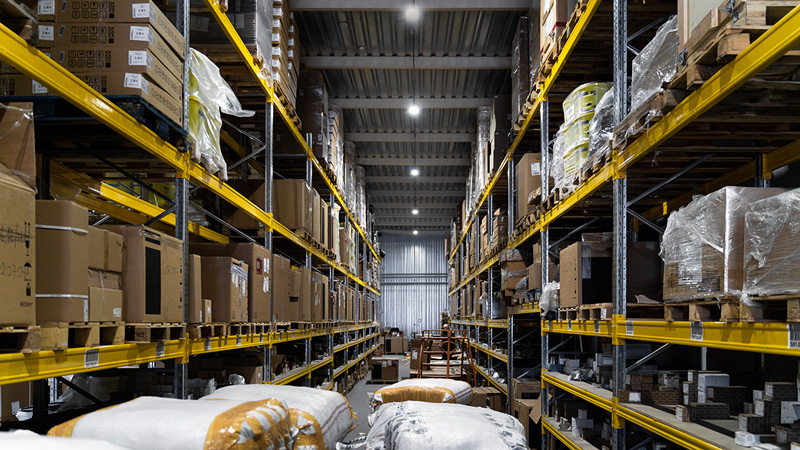
WMS for Retail
WMS enables accurate visualization of stock levels and real-time data, offering support to managers during their forecasting and supply planning processes.

WMS for Pharma
xTrack WMS successfully automates complex work processes in pharmaceutical warehouses, where many legislative restrictions apply and therefore need to be taken into account.

The infrastructure of the xTrack WMS application
Functionalities – Goods receipts
Goods receipts represent all operations carried out in the warehouse to enter goods into stock, mainly receipts from suppliers.
About goods receipts
Inbound flows represent the stream of goods that must be received into a warehouse. They may originate from purchase orders placed with suppliers or from customer return orders. In xTrack WMS, these orders follow a hierarchical structure that ensures high reception flexibility. A single inbound order can be split into multiple actual receipts, each with different dates, or several inbound orders can be received simultaneously by one or more operators.
As a result, three types of quantities can be tracked at inbound‑order level:
- the ordered quantity – what the company intends to purchase from a supplier
- the documented quantity – the quantity listed on the supplier’s delivery documents, referring back to the ordered amount
- the physically received quantity – what warehouse operators actually register using mobile terminals
An inbound order can be imported automatically from external systems (e.g., ERP), or it can be entered or generated directly through xTrack WMS functionalities. The reception process can be carried out using barcode identification or RFID, enabling real‑time data capture in the application.
Procurement
These represent the orders placed with suppliers. They are usually imported from external applications such as ERP systems. There are also cases where they are entered or generated directly in xTrack WMS, where complex hierarchies can be created for precise management of these orders. The basic data required for a supply process are: from whom the goods are received, what items are expected, and in what quantities they must be received.
Unloading
This is a stage within the reception process that can be recorded in xTrack WMS. The operation involves registering the unloaded pallets and is used mainly in warehouses where the goods flow is high. In practice, by marking pallets at unloading, the actual reception process can be completed later, which helps reduce the likelihood of errors.
Receiving
This is the main stage of the inbound‑goods flow. During this operation, the received products are identified with batches and serial numbers, along with any other relevant properties, and the goods are already divided into pallets, boxes, or locations according to the system configuration. The actual reception process is straightforward for terminal operators, and multiple validation restrictions can be configured to prevent errors.
Receipt verification
If differences are found between the physically received quantity and the documented quantity, verification tasks can be generated, essentially a full or partial recount of the goods. The decision to enter the verification process can be triggered automatically or initiated manually by the warehouse manager.
Labeling
This is a process that can be applied at any stage of a product’s lifecycle inside the warehouse. In some warehouses, dedicated resources are assigned so that the labeling operation, printing and applying labels, is performed during reception, and unlabeled goods are not allowed to enter the storage area. Labeling is applied only to specific products and in configurable quantities, depending on operational rules.
Master data
This is an established term used to describe the wide range of data that must be stored at item level in a WMS. The master‑data process during inbound reception involves collecting and validating all these details—or at least those that are essential for that particular warehouse. As a result, within the reception flow, there may be a need to introduce a measurement step for items being received for the first time, for example.
Sorting at reception
This process requires the goods to be divided by destination during reception—for example, by customer orders or by transfers to other warehouses. This operation demands more time and additional space at the reception stage, but it also brings significant savings in time and resources in downstream flows, such as the delivery process.
CTC
This is a process through which quality‑related data can be collected during reception for certain products. By quality, we are not referring to shelf life or visual appearance, but to specific technical properties required for particular items. For example, some construction materials or agricultural products must have these properties recorded so they can be included in quality certificates at the time of delivery. If the products do not meet the required specifications, they cannot be commercialized. The collection of these quality attributes is performed during the product reception stage.
Cross-docking
This is an established term referring to the fact that a pallet of goods is not stored for a long period and is already prepared to be loaded onto another vehicle. In this process, the goods on the pallet are not actually received into stock; the pallet is only registered if it is intact and undamaged.
Reducing delivery times from the producer to the end customer within the distribution process requires streamlining the transit flow of goods through a warehouse or logistics hub.
The cross‑docking operation involves moving goods directly from the reception area to the delivery area without any intermediate storage. The xTrack WMS application supports:
- retrieving cross‑docking orders from reception or from a predefined location
- sending cross‑docking orders to the delivery area
- different types of cross docking: continuous or pre‑allocated, consolidated or deconsolidated
Cross docking is performed based on firm customer orders or on specific characteristics of the received goods.
A complex cross‑docking process can be configured in xTrack WMS so that the warehouse operator is guided through the workflow to increase efficiency.
In addition to the physical movement of goods, the accompanying documents must also be considered. These are generally handled by different personnel than those who physically manipulate the goods.
Customer returns
Goods returned by customers enter through a standard reception process, just like goods received from suppliers. In most ERP applications, returns are handled as outbound transactions with a negative quantity. In a WMS, however, they must be treated as actual inbound receipts.
Functionalities – Inside the warehouse
We refer to any activity that does not involve receiving goods or delivering to customers. In order to achieve maximum efficiency in delivery flows, for example, goods must be prepared, and this preparation is done through internal operations within the warehouse.
Goods movement
After goods are received, the first operation performed is the Put Away (PS). This process involves generating and executing tasks that move a pallet from one location to another, or an item from a location and/or pallet to another location and/or pallet. These moves can be triggered automatically by the application when certain conditions are met, or manually by warehouse operators.
The entire process is managed automatically by the xTrack WMS application, based on a complex, fully configurable algorithm that considers multiple criteria such as location, quantity, partner, product family, FEFO, and more. Through xTrack WMS, the system ensures:
- task transmission via mobile terminals
- task assignment to multiple users
- task prioritization
- full traceability of stored items
The algorithm that identifies the optimal storage location (PA) is configurable so it can consider both the warehouse layout at the moment of the put away operation and the subsequent activities that will follow. This approach leads to significant savings in space and handling effort.
In line with the core principles of xTrack WMS, put-away tasks are allocated automatically and can be interleaved with other activities that may become more urgent at any given time.
Replenishment
This process also results in a stock movement, but the algorithms behind it are more complex. They calculate which items and quantities need to be replenished in the picking locations at the right moment, ensuring that order preparation in the warehouse is never interrupted. This process is commonly known as replenishment.
Through automated workflows, replenishment orders can be generated:
- for the picking area
- between warehouses belonging to the same company
- from suppliers to the company
Depending on the type of replenishment, some processes are fully automated, while others are partially automated to allow validation by an authorized user. A fully automated process is the replenishment of picking locations, where we have developed several replenishment models based on stock rotation speed and the characteristics of the picking area.
The algorithms that generate replenishment orders are configurable and consider sales trends for each item, using both historical data and current demand patterns.
Replenishment is designed to increase the efficiency of customer order processing by ensuring that the right stock is always available on the shelf.
Inventory
Inventory is a complex process that involves fully or partially counting the goods stored in the warehouse to update stock levels. To ensure a full inventory, certain conditions must be met – for example, stopping all warehouse activities. The module also supports inventory operations carried out in parallel with other warehouse processes, whether at item level or by warehouse zones.
To support verification activities, the xTrack WMS application enables several types of inventories:
- full inventory, which blocks standard receiving and shipping activities (annual inventory)
- cyclic inventory, performed without interrupting warehouse operations
- spot inventory, based on selected locations or items
An inventory can be carried out by one or more people working in parallel across different warehouse zones. Each inventory order includes assigned teams and counting personnel.
Every inventory is based on a reference stock, generated either at the moment the inventory is initiated or when counting begins for a specific location or item. The process considers item characteristics, such as batch/expiry date or unique serial number identification. Any discrepancies are processed through xTrack WMS’s proprietary Adjustment Bin technology. Inventory results can be viewed in real time at general stock level, by location, or by user/team.
Stock checking
Stock verification is a spontaneous process that can be initiated either by the application or by warehouse operators. In practice, it is a stock check (Stock Controller) performed at location level or for a specific item within a location. If, during any process, an operator reports a stock shortage, the system will only decrease the stock after the verification task is completed, ensuring that the shortage is validated.
Stock verification is an important process within the xTrack WMS application. It can take several forms:
- quantitative or qualitative verification
- location-level stock verification
- item-level verification within a location
- verification after goods receipt
- verification after picking
xTrack WMS provides advanced traceability for all quantitative and qualitative discrepancies identified during verification, offering tools for both manual and automated adjustment.
Verification can also be performed using data collected from external systems such as scales, counting devices, or volume-measurement equipment.
The process can be executed through a PC-based module or directly in the field using mobile terminals, where tasks are assigned to users based on the type of verification and the characteristics of the products being checked.
Post-picking verification can also be used to support the packing process prior to shipping.
Packing
This refers to a simple production or kitting process, where two or more products are combined to create a new product. The reverse operation also exists – unkitting, which involves breaking down a product into its component items. The Packing process is carried out in multiple stages, depending on operational requirements in the field.
Labeling
Labeling can also be performed after goods receipt. It is a similar process that involves printing labels and applying them to products, while recording all related activities at user level. In the context of internal warehouse movements, labeling has the advantage of not blocking the receiving process with a time-consuming task.
Labeling is essential in logistics processes and is used for:
- item barcodes
- mandatory translations applied to products
- pallets received or prepared for shipping
- AWBs for courier shipments
- location identification using barcodes
xTrack WMS provides an integrated, intuitive, user-friendly module for label design, offering:
- flexible configuration of label formats
- multiple label types depending on the workflow (inbound, outbound, etc.)
- support for various label sizes
Labels are generated on the fly in different formats and can be printed on any type of printer selected by the user — from roll-based label printers to standard A4 printers. All labels sent to printers can be previewed and are stored in the application database. They can also include any type of information required by the client, from 2D barcodes to images or graphics.
ABC
This refers to the rotation speed of goods. In logistics, this rotation speed is different from the financial interpretation of the term. The ABC calculation is performed by xTrack WMS, and the warehouse setup – defining zones for A, B, or C-class items – is also managed within the application. All movement and replenishment activities take the ABC parameter into account at both location and item level.
Goods adjustments
Adjustments represent the recording of stock differences confirmed through inventory, stock control, or goods receipt. These adjustments can be negative when stock is missing, or positive when additional goods are found. Adjustments help create full traceability of stock discrepancies at item, location, pallet, and many other data levels.
Transfers
Transfers are more complex stock movements carried out between warehouses or between different storage accounts. These transfers do not change the company’s overall stock levels, but they involve several operational steps: collecting the goods, managing them during transport, and receiving them at the destination, which may require nothing more than scanning a pallet code and placing it on the appropriate shelf.
Functionalities – Freight out
This is a complex, multi-stage process that benefits from full automation. It begins with picking the goods and ends with loading them onto trucks.
About freight out
The freight out process is a complex, multi-stage workflow that benefits from full automation. It begins with picking the goods and ends with loading them onto trucks. Automation covers several key steps:
- importing orders from the ERP or manually entering outbound orders (customer deliveries or inter-warehouse transfers) into the desktop module
- picking goods in the warehouse through mobile-terminal tasks or based on a printed picking list
- verifying the picked goods, either through mobile-terminal tasks or using a loading checklist
- loading goods onto vehicles, guided by mobile-terminal tasks
- exporting delivery results back to the ERP
- issuing the required documents (AWB, delivery note)
Depending on the stage of the outbound process, different technologies can be used: barcodes, RFID, Pick by Light, or Pick by Voice.
Customer orders
These are the documents that form the basis of customer deliveries. Just like inbound supply orders, they are most often imported from external applications such as ERPs or online stores. Orders can be grouped into wave picking or batch picking flows and can be distributed among multiple operators for faster processing. The result of the picking activity is then exported back to the source application.
Picking goods
Picking is the most important activity in the warehouse. It is carried out based on work tasks calculated and prioritized by the application to achieve maximum efficiency. Peak efficiency in picking is reached when the automatic task-allocation mechanism assigns picking tasks to operators with the appropriate level of experience. This automatic allocation mechanism is highly complex and can be adapted to any requirement from our clients.
xTrack WMS provides:
- a configurable picking algorithm based on the desired criteria
- picking through mobile-terminal tasks
- the ability to pick by piece, box, or pallet
- label generation for collected pallets
- full traceability of picked items
Several picking methods are implemented in xTrack WMS, including batch picking, wave picking, and order-by-order picking.
Picking is the operation that generates the highest workload in a warehouse. To increase the speed of this process, xTrack WMS allows the configuration of advanced automatic task-allocation algorithms. In some implementations, the system automatically manages more than 200,000 picking tasks per day.
Delivery verification
This step takes place after the goods have been prepared. It serves multiple purposes: in addition to recounting the picked items, it also ensures that products are packed correctly. There are two verification modules available: a desktop module with a large display that can show extensive information about the items being checked, and an Android module that offers high mobility and is suitable for verifying bulky products.
Order Sorting
This operation consists of separating goods after a batch picking activity, where multiple orders have been mixed into a single tote. This step usually takes place simultaneously with the verification stage.
Consolidation
This is the reverse operation of sorting. In practice, it involves creating a single parcel from multiple sources or arranging several parcels onto the same pallet. Consolidation activities consider shared properties of the parcels, such as their destination.
Loading
After the goods have passed through several stages of the delivery process, it is recommended to perform the truck-loading step using barcode scanning. This operation aims to reduce loading errors, ensure complete traceability of products and orders, and automate the printing of related documents.
Documents
This task may not traditionally be considered part of a WMS. However, at Axes Software we chose to increase warehouse efficiency by automating this process as well – including printing documents in the exact order the driver will need them. The printed documents can be generated directly by the WMS or produced by the ERP and printed through the WMS.
AWB
This is a label printed at the end of a verification stage, after consolidation, or even immediately after picking, depending on the configuration. AWB printing is an automated process that retrieves data from the WMS – number of parcels, weights, and volumetrics – sends it to the courier’s application, and automatically forwards the response to the printer. The operator then applies the corresponding labels to the boxes or pallets.
Returns from suppliers
These are the orders that enter the delivery process, even though, from an ERP perspective, they may be treated as inbound entries with negative quantities. The return process can, however, differ significantly from the standard customer-delivery flow, as separate workflows can be configured if needed.
Reports
Reports consolidate collected data and transform it into useful information for application users. The flexible reporting module allows users to configure how information is displayed and to export it in any available format. xTrack WMS also includes a dashboard module for real-time graphical display of information, which is extremely valuable for both management teams and warehouse operators.
xTrack WMS integrates one of the most flexible and intuitive reporting modules available today, allowing an unlimited number of custom reports in addition to the standard ones provided by the application.
A report can be viewed in several formats:
- printable format, used mainly for documents issued by xTrack WMS
- pivot format, where each user can save their own viewing layouts for the same report
- tabular format, which can be easily exported to .XLS files
- graphical format (pie charts, etc.)
From any of these formats, reports can be exported to various file types (TXT, HTML, PDF, XLSX, CSV, etc.).
Authorized users can generate reports and send them automatically to printers or by email through a dedicated xTrack WMS functionality. Standard reports can be complemented by an optional Dashboard module for real-time visualization of activity status on warehouse screens or by management.
VAS
VAS – Value Added Services represent all activities required to modify item or stock characteristics. The VAS workflows implemented in xTrack WMS cover:
- operations that do not change stock levels:
- labeling (translations, barcodes)
- individual item packaging
- item condition checks
- operations that change stock levels:
- kit assembly
- kit disassembly
- transforming one item into another
VAS operations can be planned manually or generated automatically, depending on stock requirements needed to fulfill customer orders.
xTrack WMS provides clear tracking of each VAS operator’s performance for KPI reporting, while the results of stock transformations are automatically sent to the ERP to ensure real-time stock synchronization.
xTrack WMS functionalities
Over 250 successful software deployments


Request a quote
